Role-Based Permissions
Define access according to clinical and administrative responsibilities.

Managing behavioral health records requires careful attention to who can access patient information and how that access is managed.
Explore practical considerations for staff permissions, sensitive records, audit trails, and secure clinical communication.

Different team members have different responsibilities. A well-organized EHR should provide access based on the work each person performs.
Define access according to clinical and administrative responsibilities.
Use permissions to control access to sensitive patient records.
Review patient-record access and recent activity through documented audit functions.
Assign roles and manage which EHR functions authorized users can access.
Use dedicated permissions for viewing sensitive clinical information.
Review who has accessed a patient's chart.
Review recorded activity related to patient information and system access.
Use the documented break-glass function for emergency access to a restricted patient chart. Each use is logged.
Support direct and group communication between staff through the encrypted internal messaging system.
View the HealthVision clinical workspace. Configure access and permissions according to your practice responsibilities.
Explore HealthVision Security Features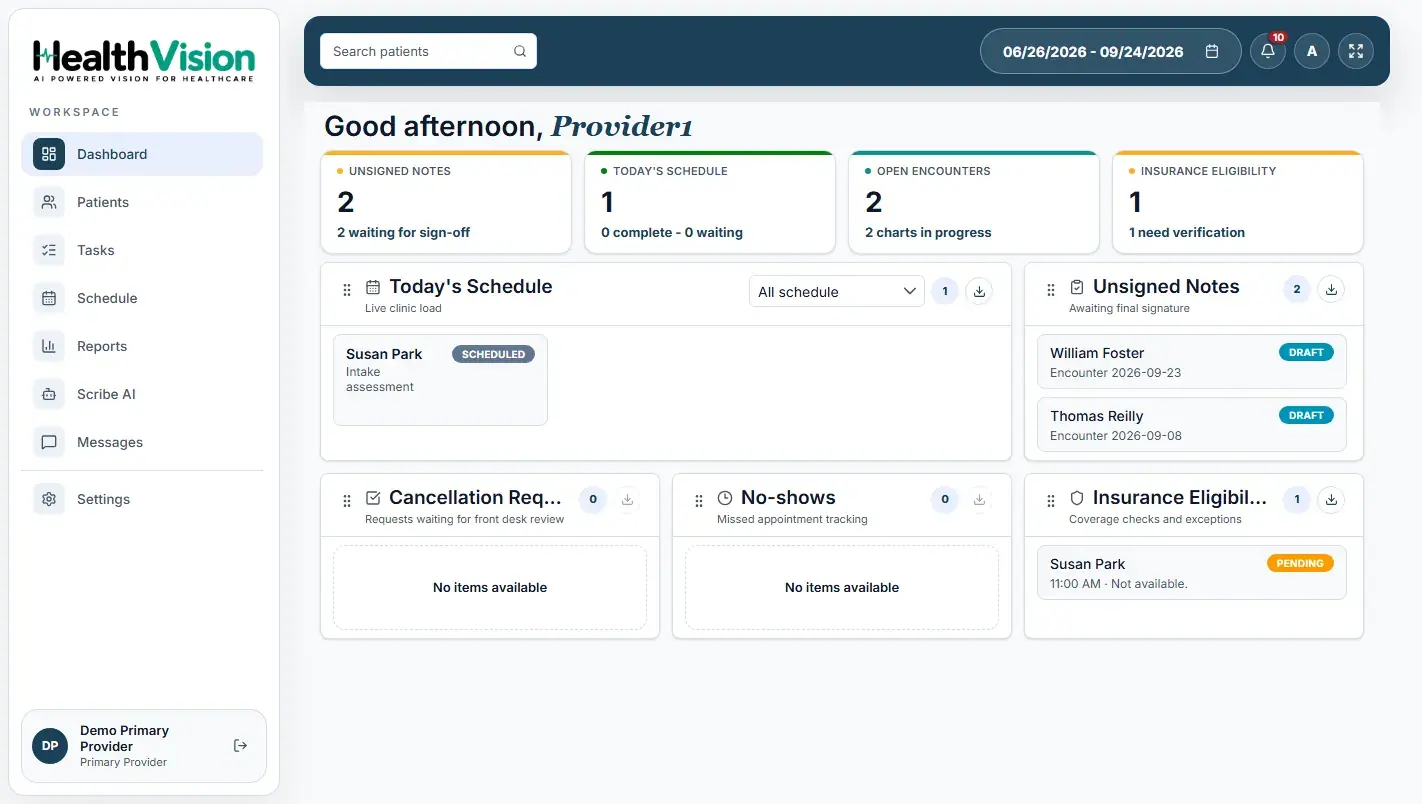 Actual HealthVision EHR dashboard
Access authorized patient records, document encounters, and complete clinical notes.
Work with permitted patient information and assist with assigned clinical activities.
Manage patient registration, appointments, and administrative information.
Work with authorized billing functions without access to clinical notes under the documented default role configuration.
Manage users, roles, permissions, and practice settings.
Work through the access questions with your practice team and review your local policies and settings.
HealthVision brings patient records, clinical documentation, role-based permissions, audit trails, and secure internal staff communication into its EHR environment.
Explore how these tools support your practice's clinical and administrative workflows.