Clinical Documentation
Document encounters using structured SOAP notes with Subjective, Objective, Assessment, and Plan sections.

HealthVision brings clinical documentation, diagnosis coding, and superbill management together within its EHR workflow.
From ICD-10 and SNOMED diagnosis search to CPT-coded services and encounter-based superbills, HealthVision helps clinical and billing teams work with the information needed to document and process patient visits.
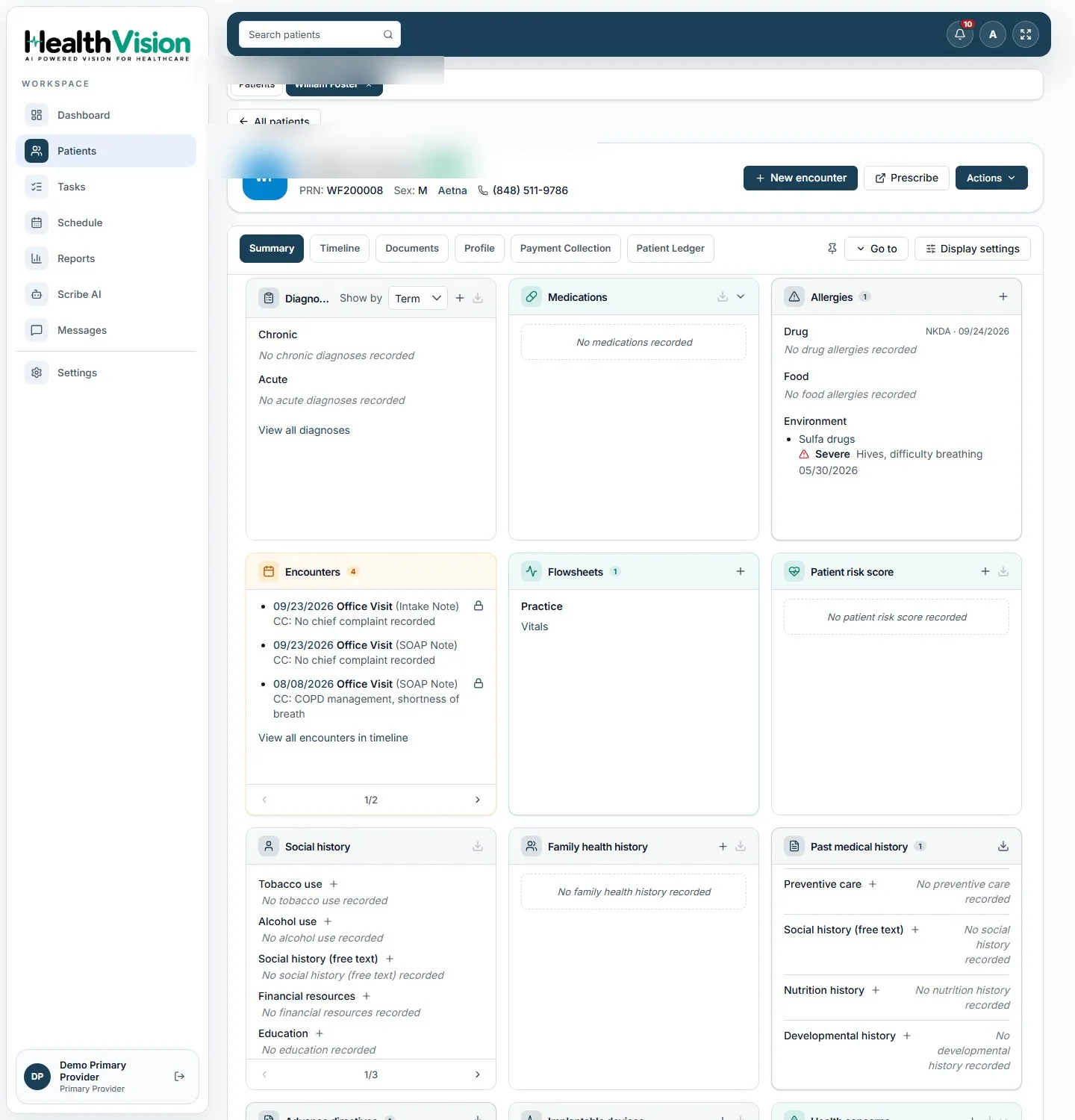
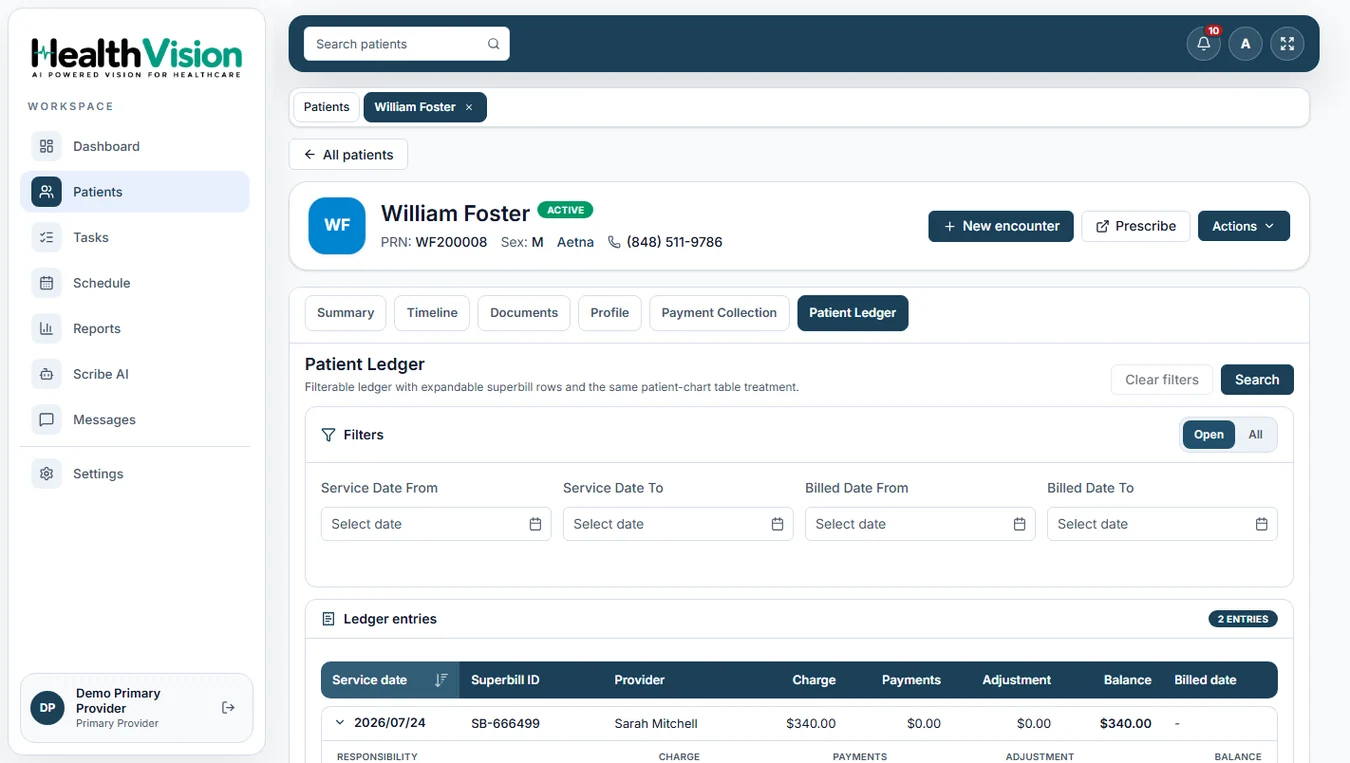
HealthVision connects clinical notes, documented diagnoses, medications, and encounter information within the patient record.
Document encounters using structured SOAP notes with Subjective, Objective, Assessment, and Plan sections.
Search the ICD-10 and SNOMED databases to select coded diagnoses for the patient record.
Organize diagnoses as Chronic, Acute, or Historical and maintain the patient's documented conditions.
Work with clinical diagnoses and services when preparing the encounter superbill.
Search the ICD-10 database and select relevant diagnosis codes to document patient conditions.
Use the supported SNOMED search alongside ICD-10 when documenting clinical diagnoses.
Classify recorded diagnoses as Chronic, Acute, or Historical within the problem list.
Document relevant CPT-coded services within the encounter-based superbill workflow.
Include ICD-10 diagnosis information alongside the CPT-coded services recorded in the superbill.
Access the ICD-10 tab in the documented Scribe AI interface while reviewing AI-generated encounter documentation.
Track incomplete superbills through the Tasks module, including tasks for unfinished or unsubmitted billing records.
Review and manage superbill information through the documented Billing Report.
Start the encounter and record the clinical information, including chief complaint, relevant findings, diagnoses, medications, and clinical notes.
Use the supported ICD-10 and SNOMED search to select and document applicable patient diagnoses.
Open the Superbill section within the encounter and work with the CPT-coded services and relevant ICD-10 diagnoses.
Complete the applicable coding information. Any unfinished superbill remains visible through the documented task workflow.
After the encounter is signed, the billing team can continue working with the superbill and relevant financial records.
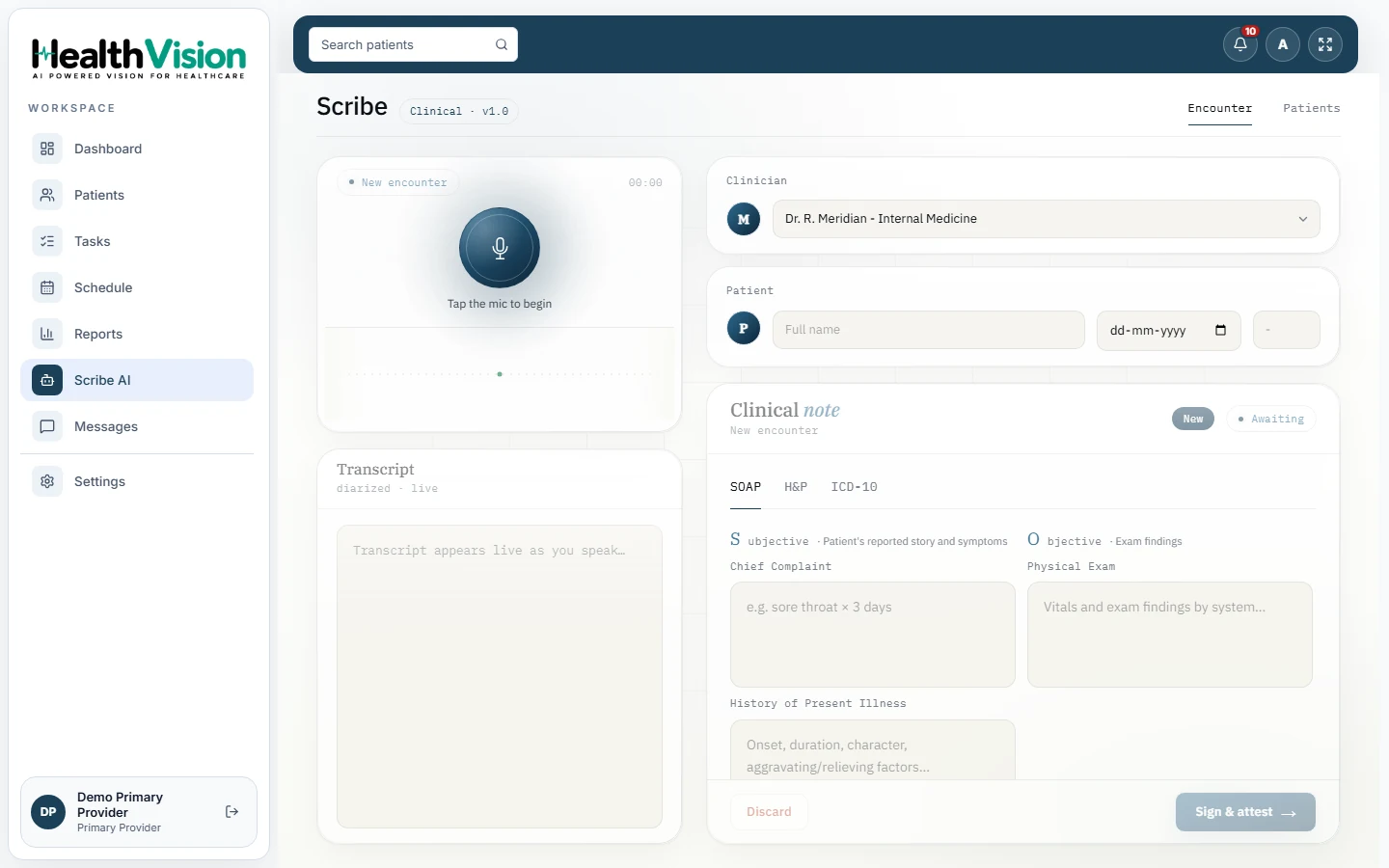
HealthVision's documented Scribe AI captures spoken patient encounters and prepares clinical note drafts for clinician review.
Prepare draft SOAP and H&P documentation using the supported Scribe AI workflow.
Review the ICD-10 tab available within the Scribe AI interface.
Review and edit generated documentation before signing.
The clinician signs and attests to the note before it becomes part of the patient record.
HealthVision includes documented billing functions that connect encounter information with practice financial records.
Create and complete superbills containing the documented services and associated diagnoses.
Track incomplete coding and billing work through the Tasks module.
Review encounter-related charges, payments, adjustments, and outstanding balances.
Access practice superbill information through the Billing Report.
Review documented payer information for the practice.
Review recorded payment transactions and relevant payment details.
Answers about documented coding tools, superbills, and the limits of current AI and E/M functionality.
Yes. The EHR includes ICD-10 diagnosis search and supports selecting coded diagnoses within the patient record.
Yes. The product manual documents SNOMED search alongside ICD-10 for clinical terminology and diagnoses.
The documented superbill workflow includes CPT codes for services performed during the patient encounter.
The supplied product PDF documents an ICD-10 tab within Scribe AI and standard clinical coding workflows. It does not confirm a separate AI-generated coding suggestion feature.
Automated E/M level evaluation is not established by the supplied product PDF.
Yes. The documented Scribe AI workflow allows clinicians to review, edit, and sign or discard clinical note drafts.
The documented Tasks module identifies unfinished or unsubmitted superbills and provides a way to return to the relevant superbill.
Yes. HealthVision's documented workflow associates CPT-coded services and ICD-10 diagnoses with encounter-based superbills. Billing information can then be reviewed through supported ledger and reporting functions.
Discover how HealthVision brings clinical notes, diagnosis coding, superbills, and billing information together within the EHR.