AI-Powered Encounter Transcription
Capture spoken clinical encounters using the integrated Scribe AI microphone.

HealthVision AI Medical Scribe turns spoken patient encounters into structured clinical note drafts within your EHR. Capture conversations, view live transcripts, and prepare SOAP and H&P documentation while keeping clinicians in control of every review, edit, and final sign-off.
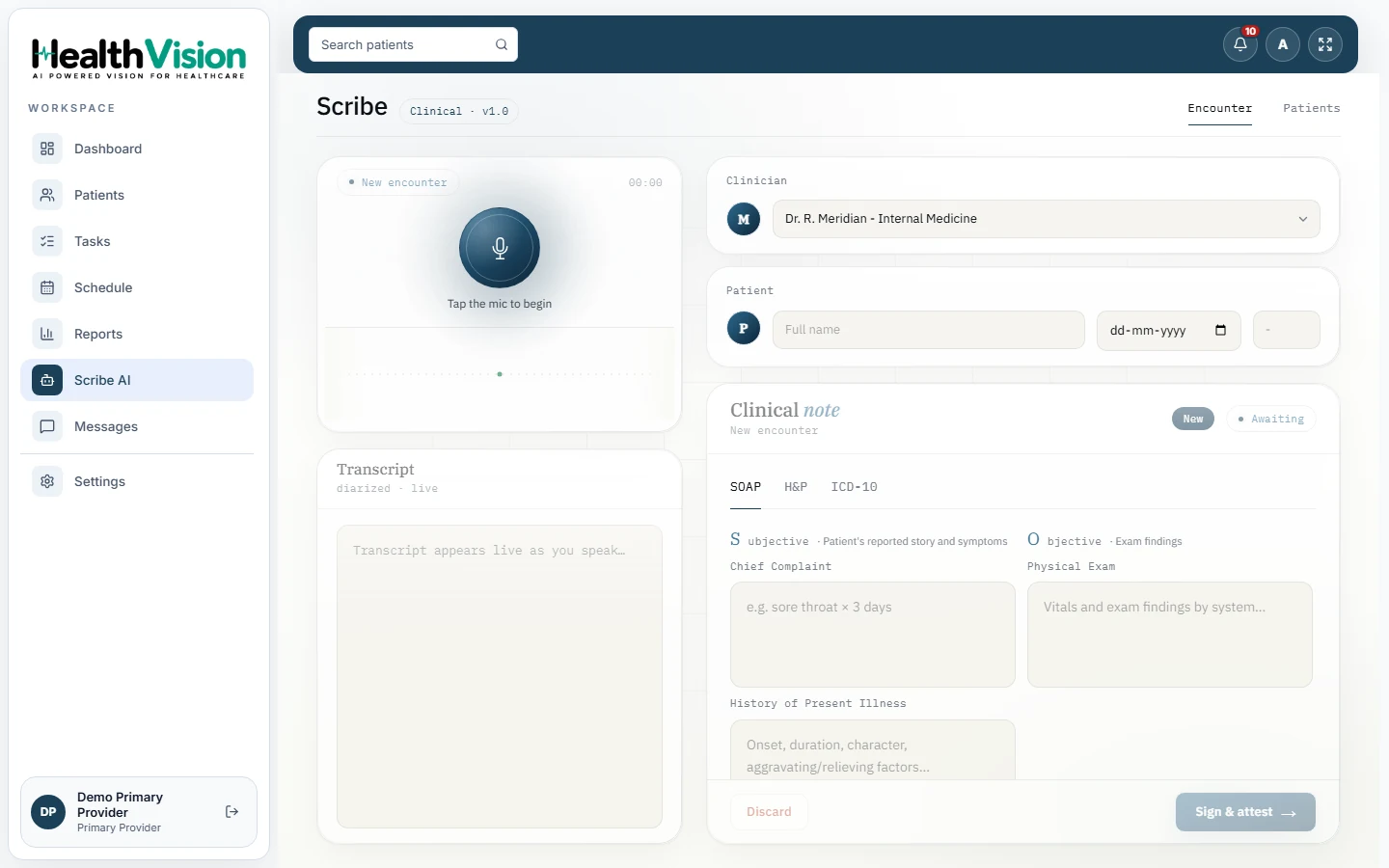
Capture spoken clinical encounters using the integrated Scribe AI microphone.
Follow the conversation through a live transcript that distinguishes speakers.
Create structured clinical note drafts covering Subjective, Objective, Assessment, and Plan.
Prepare History and Physical note drafts as part of the supported clinical documentation workflow.
Access the documented ICD-10 tab alongside SOAP and H&P views.
Open Scribe AI directly from the patient encounter through its built-in panel.
Review and modify drafted content before finalizing the documentation.
The clinician reviews and signs the documentation. AI does not independently finalize the patient record.
Open Scribe AI and select the appropriate clinician and patient for the encounter.
Use the microphone to begin capturing the spoken patient encounter.
Follow the speaker-separated transcript as the clinical conversation is captured.
View the generated documentation in the supported SOAP, H&P, or ICD-10 tabs. Check the content and make necessary corrections.
Once satisfied with the documentation, the authorized clinician can sign and attest to the note or discard the draft.
The drafted note is not added to the permanent patient record until clinician attestation. AI Creates the Draft. Your Clinician Makes the Final Decision.
HealthVision Scribe AI is part of the documented EHR workflow, allowing authorized users to work with clinical documentation in the context of the patient encounter.
Access the Scribe panel directly from the encounter workspace.
Use the Scribe AI screen to capture conversations and review generated documentation.
Access the Patients tab within the Scribe AI workflow to view patients associated with scribed encounters.
Scribe AI is available to providers and staff with the required encounter permissions.
Review the generated note within the patient's clinical workflow before final sign-off.
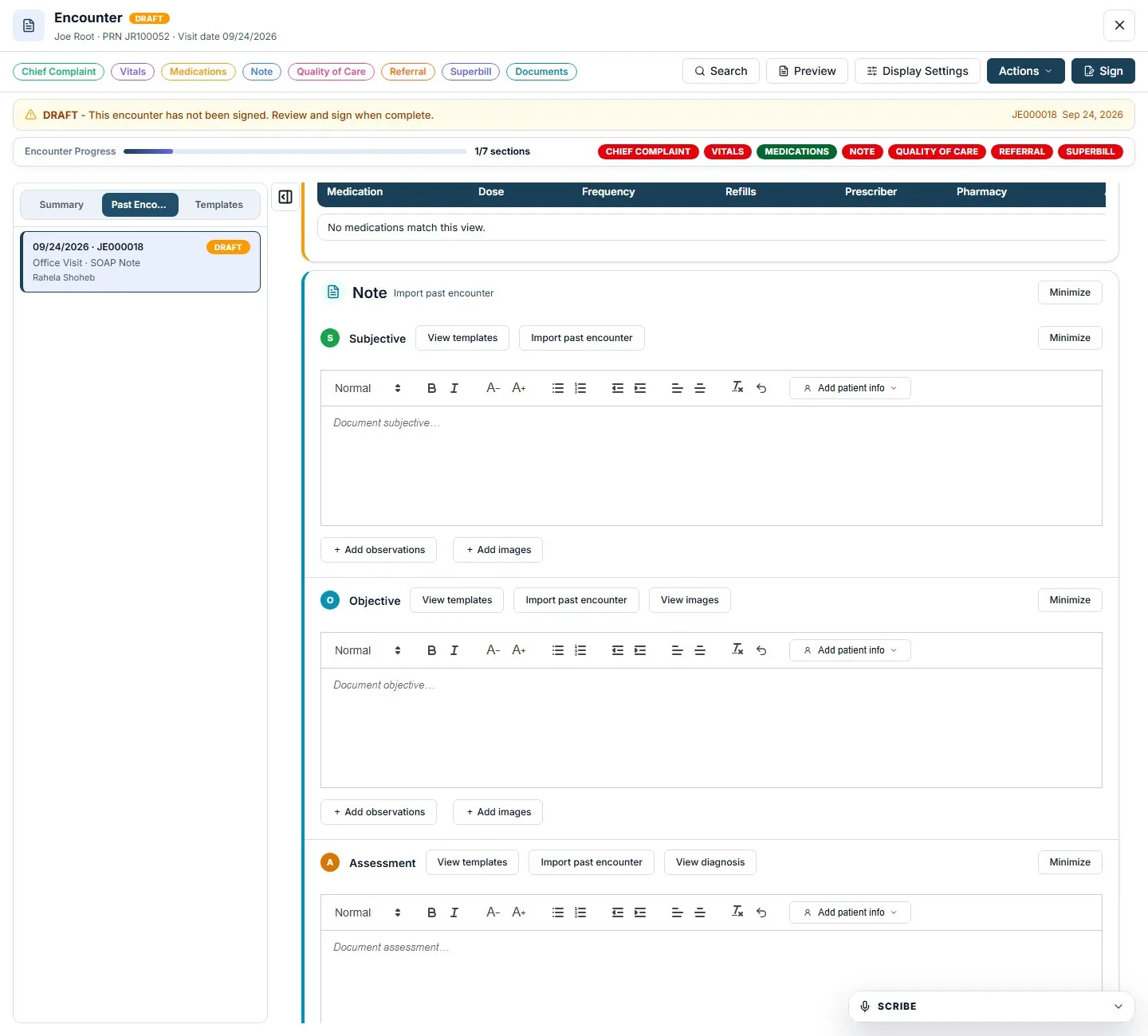
Start with an AI-generated clinical note instead of creating every section manually.
Reduce the need to type continuously while speaking with patients.
Work with supported SOAP and H&P documentation formats.
Edit, approve, or discard drafted content before it becomes part of the clinical record.
Clinical documentation remains subject to clinician review and attestation.
Find clear answers about transcription, SOAP and H&P notes, editing, permissions, and clinical sign-off.
Request a DemoIt captures spoken clinical encounters, displays a speaker-separated transcript, and generates clinical note drafts for clinician review.
Yes. SOAP note drafting is part of the documented Scribe AI workflow.
Yes. H&P documentation is included among the supported views in the product manual.
Yes. Clinicians can review and edit the documentation before signing and attesting.
No. The documented workflow requires clinician review and sign-off before notes are added to the record.
Yes. The product manual documents both a dedicated Scribe AI screen and an integrated encounter panel.
The documented workflow is available to providers and staff with the required encounter permissions.
The documented Scribe AI interface includes an ICD-10 tab. The scope and availability of automated code suggestions require separate confirmation.
Discover how HealthVision AI Medical Scribe is designed to turn patient conversations into structured clinical notes within your EHR workflow.