✨ NEW Let AI handle your notes with HealthVision AI Medical Scribe Explore AI (coming soon)
Sign in (coming soon) Watch demo (coming soon)
MEDICAL PRACTICE MANAGEMENT SOFTWARE

Run the Day. Without Losing Track of the Details.

Manage appointments, patient registration, insurance checks, staff tasks, and daily operations with HealthVision Practice Management, all connected to your EHR and patient portal.

Smart SchedulingPatient RegistrationInsurance EligibilityStaff CoordinationAI AutomationRoadmap
Healthcare practice team collaborating at a workstation, illustrative image
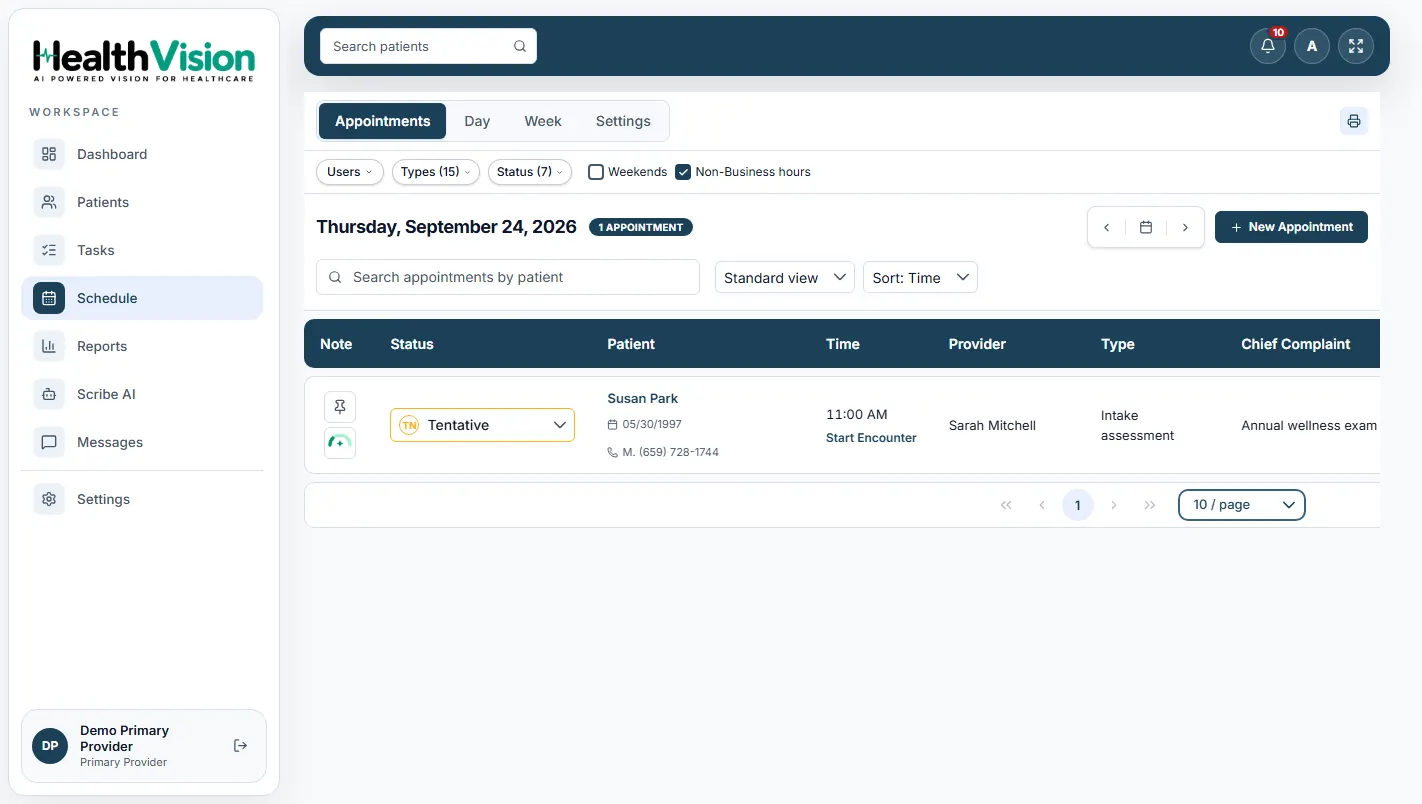
HealthVision SchedulePRODUCT SCREEN
Actual HealthVision practice scheduling screen from the product manual
One connected scheduleVisibility for your front desk
Team coordinationFrom check-in to next steps
SCHEDULING & FRONT-DESK WORKFLOWS

One Schedule. A Smoother Front Desk.

Manage appointment calendars, patient check-in, and daily visit status in a clear, coordinated workspace.

HEALTHVISIONPractice scheduling
HealthVision schedule with appointment records and status information
Manage appointments with a clear view of the day's schedule.
Keep schedule activity aligned with the patient record and care team.
FRONT-DESK FLOW

From check-in to check-out, without the extra steps.

Keep the essential actions for each visit connected.

Review scheduleSee today's visits
Check inConfirm patient details
Verify coverageReview eligibility status
Collect paymentRecord applicable copays
Hand offKeep follow-ups moving
PRACTICE MANAGEMENT FEATURES

Your Front Desk Has a Lot to Manage. Give It the Right Tools.

Everything your team needs to organize appointments, patients, documents, and daily tasks.

Scheduling

Manage appointments and provider availability.

Patient Registration

Keep patient information organized.

Eligibility Checks

Review insurance coverage status.

Task Management

Assign and track staff activities.

Documents

Manage uploaded and scanned files.

Reports

Review practice activity and collections.

ACTUAL HEALTHVISION PRODUCT SCREENS

See How Your Practice Runs in HealthVision.

Explore real scheduling, registration, task management, and reporting screens.

A closer look inside the platform
Practice Schedule
Actual HealthVision appointment scheduling software screenshot
INSURANCE, PAYMENTS & REPORTING

Know What's Due. See What's Done.

Review coverage, record copays, and stay informed about practice activity without switching between disconnected workflows.

Insurance readiness

Review eligibility and coverage status before visits.

Copays and patient payments

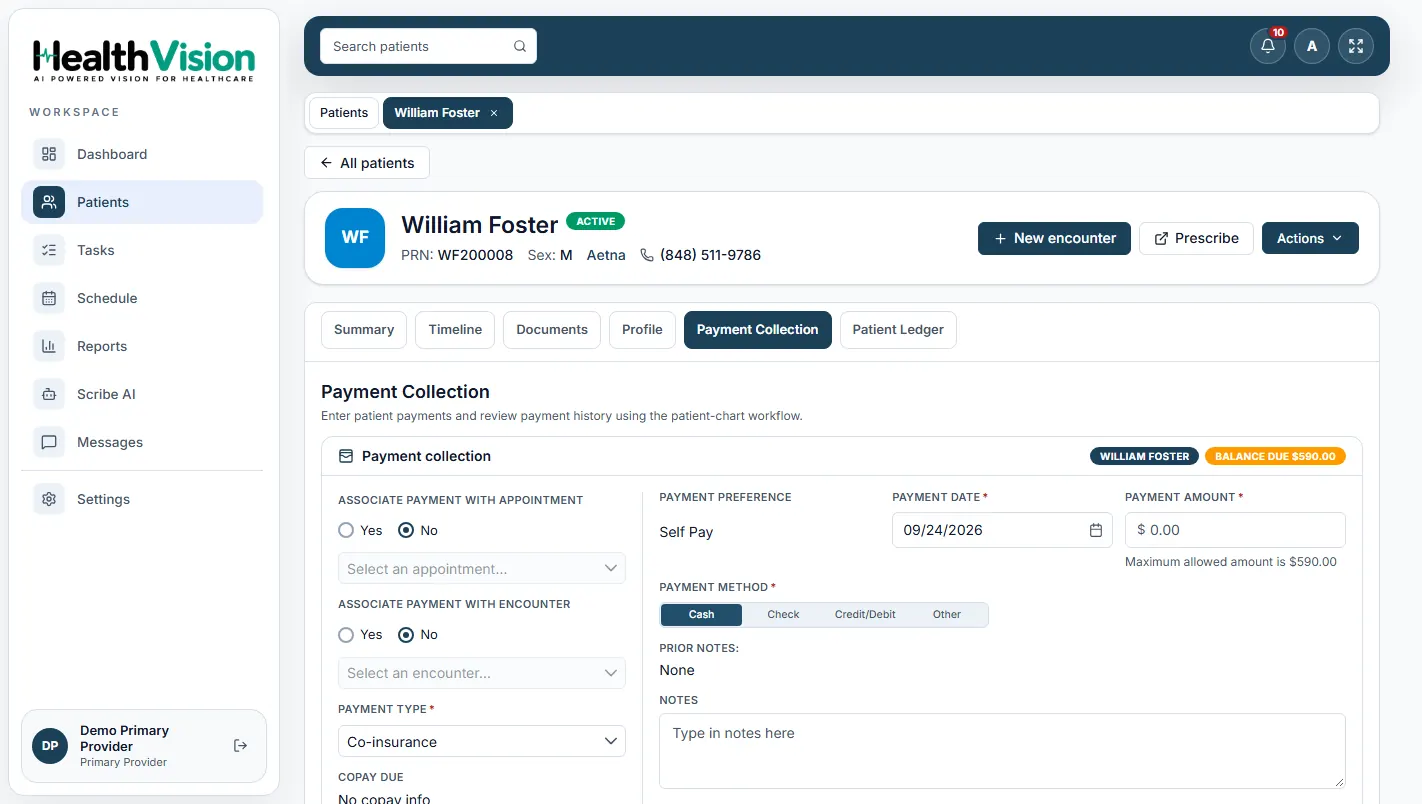
Record collections and keep payment information connected to billing.

Practice reports

Access available reports for appointments, eligibility, and collections.
Explore Billing & Payments
HEALTHVISIONPatient payment collection
Actual HealthVision patient payment collection screenshot
View payment activity from an actual HealthVision screen.
Reporting at a glanceAppointmentsEligibilityCollectionsPractice overview
STAFF COORDINATION & PRACTICE AUTOMATION

Keep Your Team Moving. Make Room for What's Next.

Stay on top of daily responsibilities today and explore how planned AI assistance could support administrative work tomorrow.

AVAILABLE WORKFLOWS

Keep daily work in view.

Manage assignments, requests, and internal communication from one workspace.
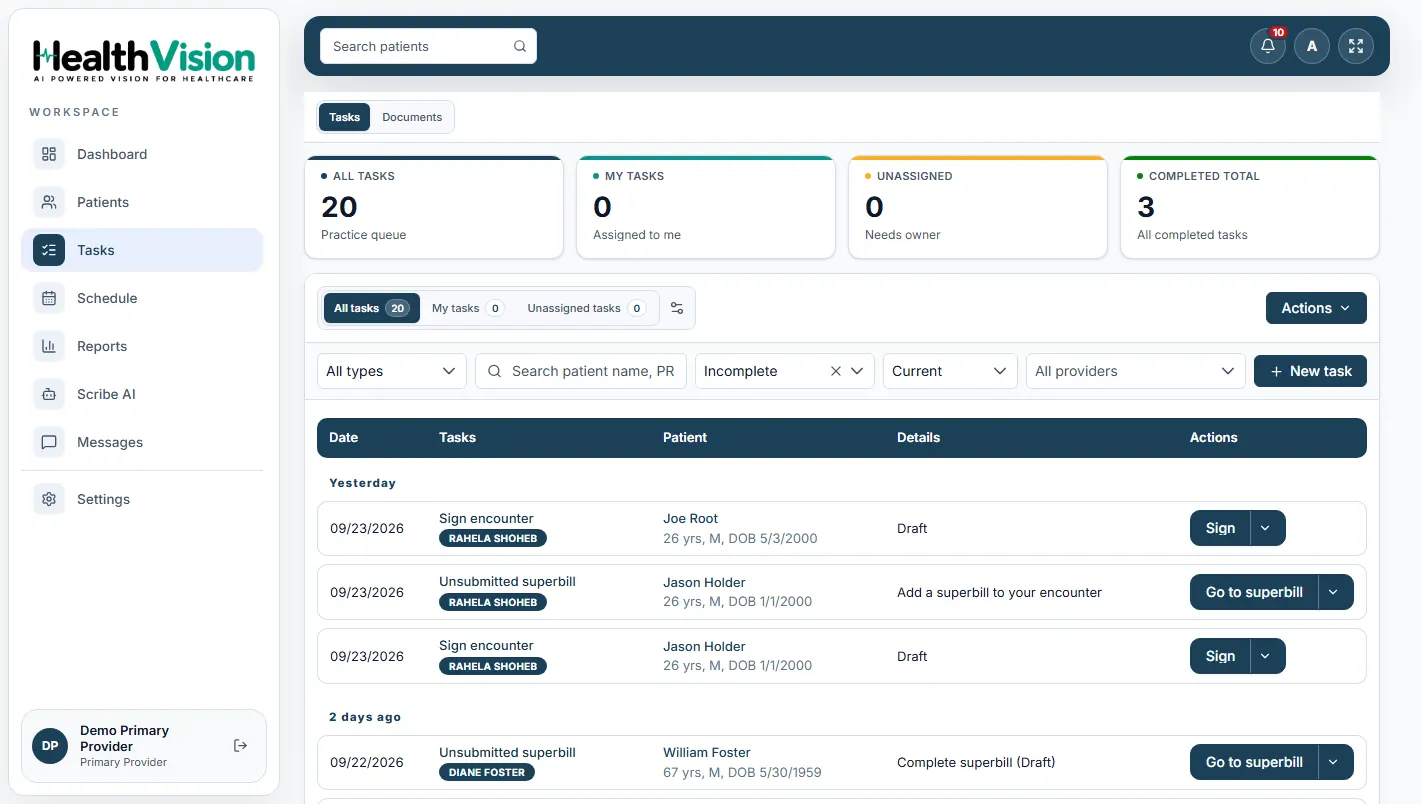
Task queuesAssigned and pending tasks
Outstanding actionsSee what needs attention
Team communicationCoordinate internal messages
HealthVision tasks
Actual HealthVision staff task management interface
Healthcare coordinator working at a practice front desk, illustrative imageAI roadmap
PLANNED CAPABILITIES

Administrative AI, thoughtfully introduced.

These are planned concepts. Availability and supported workflows will be confirmed by the HealthVision team.

AI front desk & callsRoutine inquiries and call routingPlanned
AI schedulingBooking, reminders and reschedulingPlanned
AI follow-up assistanceWaitlists, message triage and rebookingPlanned

Also being explored: no-show prediction and AI billing support.

Explore HealthVision AI
FREQUENTLY ASKED QUESTIONS

Your Practice Management Questions. Answered.

Find answers about schedules, registration, eligibility checks, task management, AI automation, and connected workflows.

Have a question about your workflow?

Our team can walk through the relevant HealthVision practice tools.

Contact Our Team ↗
What is medical practice management software?+

It helps medical practices manage scheduling, registration, eligibility checks, staff tasks, and administrative workflows.

Can HealthVision manage multiple provider schedules?+

HealthVision includes a provider schedule with appointment views and filtering options. A demo can show how availability and calendars work for your practice.

Does HealthVision support patient registration and check-in?+

The documented workflows include patient registration, appointments, check-in statuses, and associated patient information.

Can I verify patient insurance eligibility?+

HealthVision supports eligibility status and insurance-related workflows. Supported real-time checks depend on the configured payer and clearinghouse connections.

Does HealthVision include AI front-desk automation?+

AI front-desk, calling, automated booking, and other administrative AI capabilities are on the roadmap and require confirmation of availability.

Can staff manage tasks and internal messages?+

The documented EHR includes task queues, assignment workflows, and an internal secure messaging area for team coordination.

Does HealthVision connect with EHR and billing?+

Practice Management connects scheduling and registration with HealthVision clinical records and supported billing workflows.

How can I see HealthVision Practice Management?+

Request a personalized demonstration to explore scheduling, registration, tasks, reports, and the available practice workflows.

READY TO EXPLORE HEALTHVISION?

See How HealthVision Fits Your Practice's Day.

Explore scheduling, patient registration, AI automation, staff tasks, and reporting in a personalized HealthVision Practice Management demo.

HealthVision product screen
Enlarged HealthVision software screenshot

Practice Schedule · HealthVision product manual screenshot